Sample travel itineraries
Three filled examples (city break, road trip, family week) you can open in the template.
See sample itineraries →A travel itinerary is a day-by-day plan of your trip: where you'll be, what you'll do and when, plus bookings and notes. Fill in this free travel itinerary template online: add each day, stack timed activities with places and confirmation numbers, and it auto-saves in your browser. Print it or save it as a PDF.
Your trip
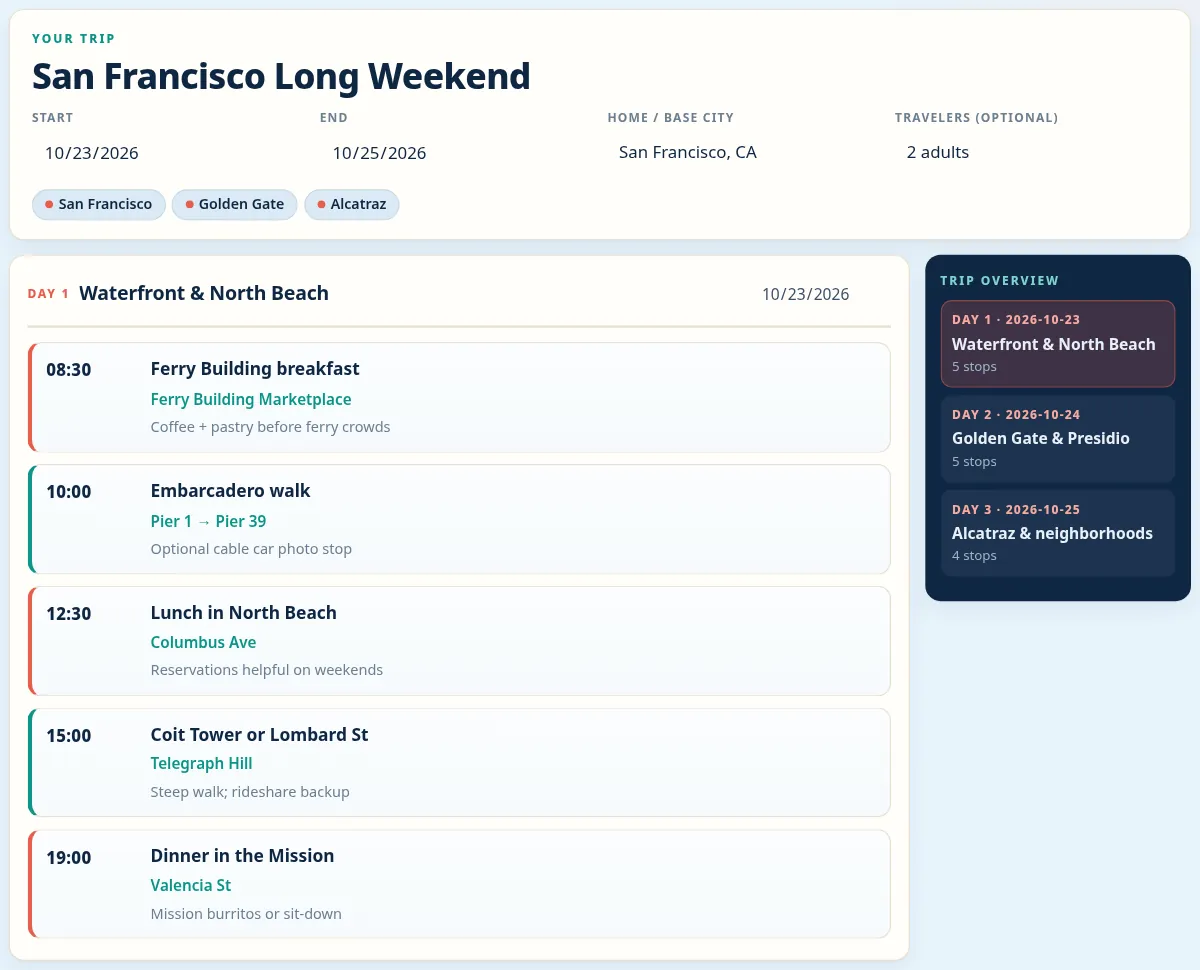
Three filled examples (city break, road trip, family week) you can open in the template.
See sample itineraries →Fit a single day into morning-to-evening stops without overscheduling.
Open the day trip template →Shape a 2–3 day weekend from Friday evening to the Sunday return.
Open the weekend template →Plan multi-day drives with drive blocks, overnight stops and buffer time.
Open the road trip template →Pace family trips with kid-friendly blocks, rest windows and meal notes.
Open the family template →Keep meetings, travel buffers and personal time clear on a work trip.
Open the business template →Plan the group weekend by day and time, with dress codes and costs.
Open the bachelorette template →Log flight legs, confirmation codes and airport buffers next to your trip days.
Open the flight itinerary template →Tick off a printable packing checklist by category, with beach, cold and business presets.
Open the packing list →Car documents, safety kit, snacks, kids and pets in one printable checklist.
Open the road trip packing list →Add up lodging, transport, food and activities with a buffer and per-person split.
Open the budget template →Yes. No signup and no fees. Fill your trip, print, or Save as PDF in your browser.
No. Drafts auto-save to localStorage on your device (up to three trips). Export JSON if you want a portable backup. There is no server upload.
A good itinerary lists your travel dates and destinations, then each day's plan in time order: activities, addresses, opening times and travel time between stops. Add flight, train and hotel details with confirmation numbers, emergency contacts, and notes such as dress codes or tickets to bring. Leave some free time each day.
Start with your dates and must-see places, then group them by area so each day has stops close together. Put fixed bookings in first, such as flights, tours and dinner reservations, fill the gaps with flexible activities, and add travel time between stops. Then print it or save it as a PDF.
Yes. Click Export CSV to download your trip, then open the file in Google Sheets, Excel or Numbers. Each activity becomes a row with its day, time, place and notes. To keep editing here instead, use Export JSON for a backup and Import JSON to restore it later on the same or another device.
For most trips, two or three main activities per day is comfortable, with meals and travel time around them. Packing in more often leads to rushing and missed bookings, especially with children or long drives. Leave a free block each afternoon or evening so delays and spontaneous discoveries don't break the plan.